Grand Larceny Auto - TryHackMe - Walkthrough
Extract a flag from a game by hacking it.

Intro
This is a write-up for the challenge Grand Larceny Auto on TryHackMe. The challenge is rated as medium and begins with the following description.
Los Vanto’s dumbest crime sim. Steal traffic cones, “borrow” hatchbacks, annoy the locals, and outrun the cops. Legend has it that a sealed safehouse vault only opens for the truest criminals. Nobody has ever managed to open it.
For this challenge we are given a zip file containing the a game for Windows.
Analysis

The challenge folder contains two files and one folder:
- the
.exeused for running the game. - a
.pckfile. This file actually is an hint on what game engine was used if you google it you will find the Godot Engine, which is a open source 2D/3D game engine. - a folder containing additional files including
.dlls.
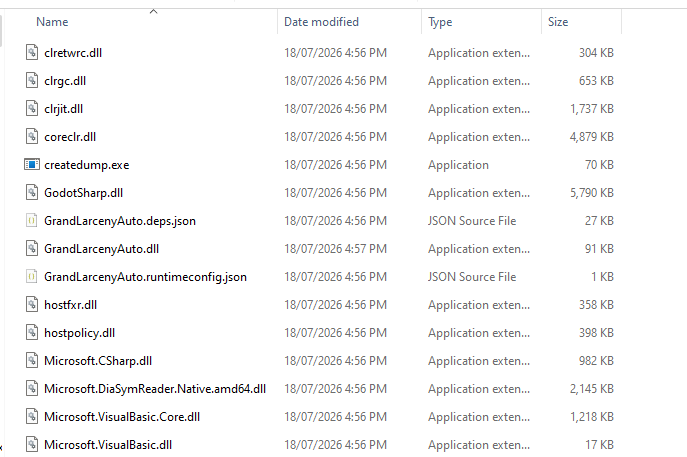
If you scroll through the additional files you can discover the GrandLarcenyAuto.dll file. This file is the source code of the coded game. Since this is likely a .NET .dll we can try to open it in dnSpy.
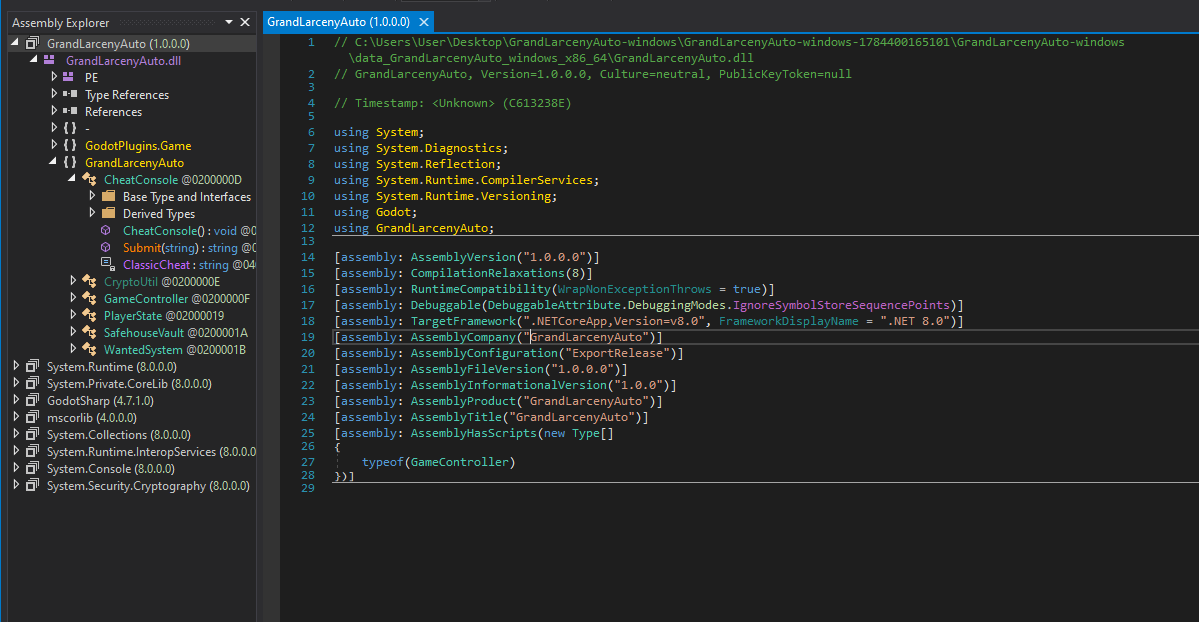
Since dnSpy is able to successfully decompile the .NET assembly we are able to inspect the namespaces. The most interesting namespace for reverse engineering the game appears to be the GrandLarcenyAuto namespace. It contains several suspicious looking classes:
- The
CheatConsoleclass contains a function namedSubmit. This function takes a code as a input and validates it against a hardcoded value. If the input matches the code it outputs a flag; however careful inspection of the flag reveals that it is a decoy.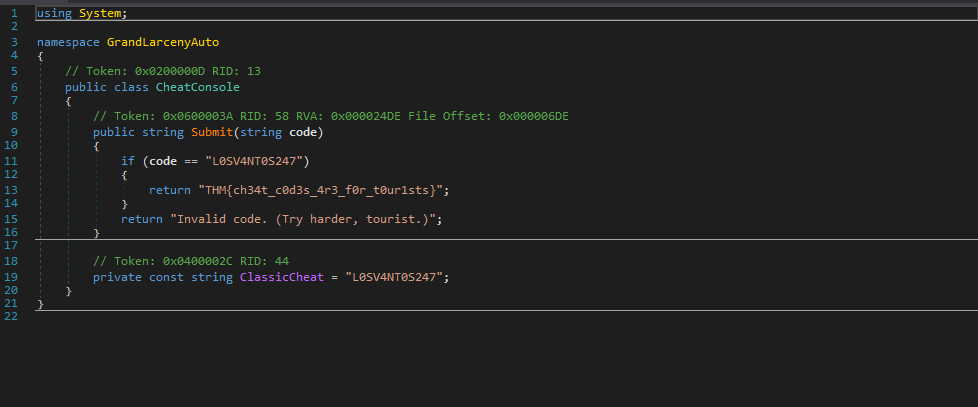
- The next class in the list is the
CryptoUtilclass as the name suggests this class implements several crypto functions and contains some obfuscation keys.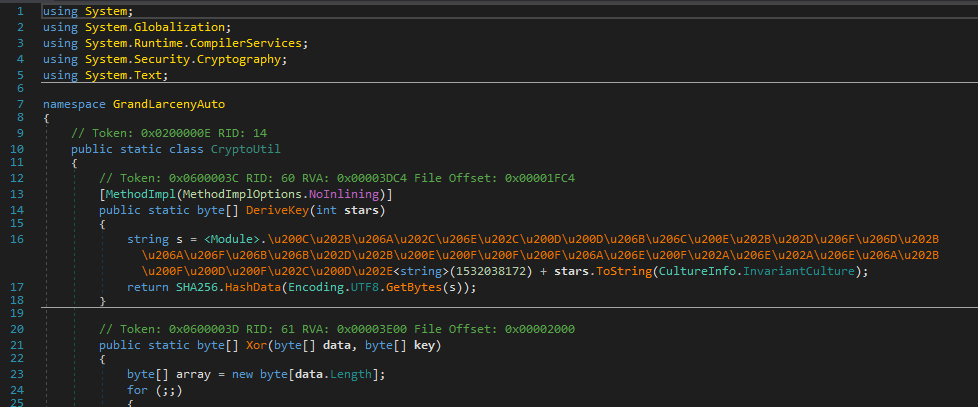
- The
GameControllerclass is the heart of the game. It contains the functions for the actual game and additional helpers.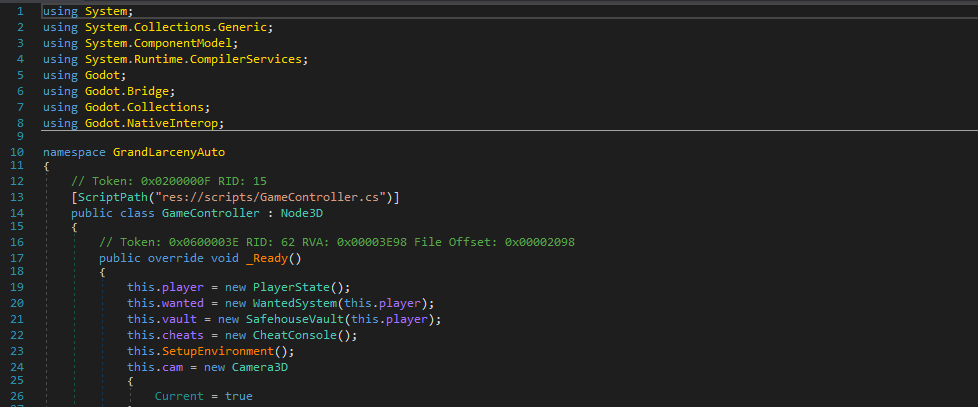
- Furthermore, the
PlayerStateclass is used to store the player state.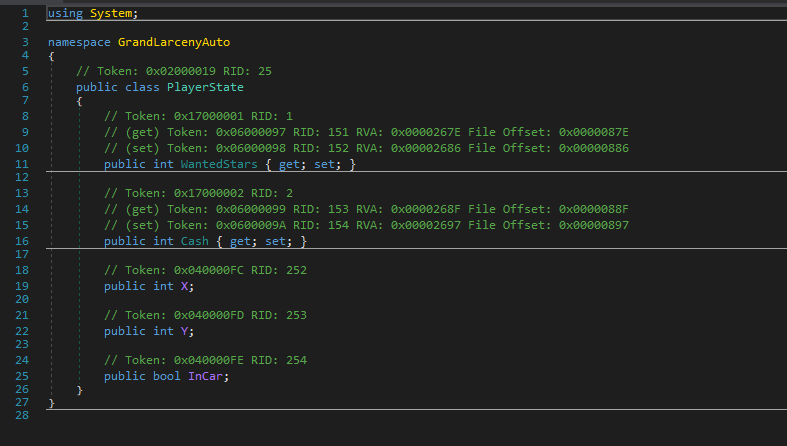
- Lastly, important for us is the
SafehouseVaultclass, as you may remember this class was mentioned in the description for the Room. This class contains the actual function which should output the flag.
The key function in this class is TryOpen(). This becomes clear from examining the function itself, and it aligns with the challenge description, which mentions needing to open a safehouse vault.
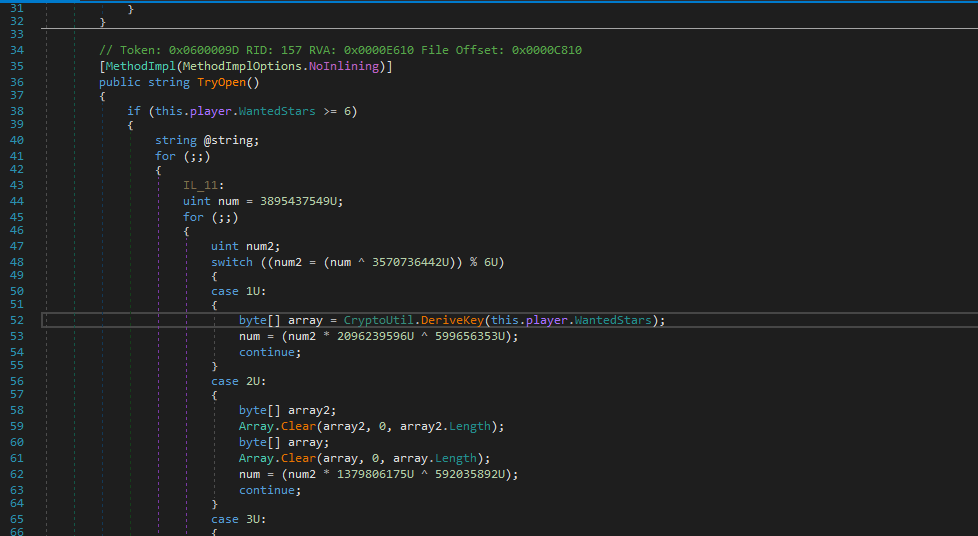
The function is heavily obfuscated and uses a switch statement to mangle the control flow (control flow flattening). Since it can be quite time-consuming to reverse engineer this function it is easier to dynamically reverse/exploit it.
Exploitation
With the full analysis complete we can try to exploit this. There are several ways to exploit this. One is for example is changing the DLL so that the WantedStars condition is always valid. After modifying the function you can run the game and eventually get the flag returned back.
Alternatively, the function can be executed directly to retrieve its output. This approach does not require running the full game, which makes it well-suited for slow VMs, this is the method demonstrated here.
To run the DLL we first need to inspect how we initialize the SafehouseVault class. For that we need to inspect the constructor, which is in C# named after the class name. In the SafehouseVault class the constructor requires a PlayerState object as a argument.
1
2
3
4
5
6
7
8
public class SafehouseVault
{
  public SafehouseVault(PlayerState player)
  {
    ...
  }
...
}
So to construct a player we need a PlayerState instance. If we inspect this class we can see that it doesn’t require any additional arguments for the initialization so we can simply create an new empty instance of it.
1
2
3
4
5
6
7
8
9
10
11
12
13
14
15
16
17
using System;

namespace GrandLarcenyAuto
{
  public class PlayerState
  {
    public int WantedStars { get; set; }

    public int Cash { get; set; }

    public int X;

    public int Y;

    public bool InCar;
  }
}
Finally, it is worth noting that the TryOpen() function requires WantedStars to be greater than or equal to 6.
1
2
3
4
5
6
7
public string TryOpen()
{
  if (this.player.WantedStars >= 6)
  {
    ...
  }
}
Next we create a new dotnet project. If you don’t have .NET 8.0 installed, you can use the command winget install Microsoft.DotNet.SDK.8 or simply follow Microsoft’s guide to install it.
If you are using a newer .NET version you may need to downgrade with the command above since the assembly was build with .NET 8.0
By running dotnet new console you can initialize a new console application.
1
2
3
4
5
6
7
8
9
10
11
12
13
14
15
16
17
18
19
20
PS C:\Users\User\Desktop\GrandLarcenyAuto-windows\solv> dotnet new console
The template "Console App" was created successfully.

Processing post-creation actions...
Restoring C:\Users\User\Desktop\GrandLarcenyAuto-windows\solv\solv.csproj:
Restore succeeded.


PS C:\Users\User\Desktop\GrandLarcenyAuto-windows\solv> ls


    Directory: C:\Users\User\Desktop\GrandLarcenyAuto-windows\solv


Mode                 LastWriteTime         Length Name
----                 -------------         ------ ----
d-----        27/07/2026   3:09 AM                obj
-a----        18/07/2026   4:57 PM          93184 GrandLarcenyAuto.dll
-a----        27/07/2026   3:09 AM             40 Program.cs
-a----        27/07/2026   3:09 AM            253 solv.csproj
At this point, the GrandLarcenyAuto.dll file must be copied into the project, after which the project file (.csproj) can be modified to reference the DLL.
1
2
3
4
5
6
7
8
9
10
11
12
13
14
15
<Project Sdk="Microsoft.NET.Sdk">

  <PropertyGroup>
    <OutputType>Exe</OutputType>
    <TargetFramework>net8.0</TargetFramework>
    <ImplicitUsings>enable</ImplicitUsings>
    <Nullable>enable</Nullable>
  </PropertyGroup>

<ItemGroup>
  <Reference Include="GrandLarcenyAuto">
    <HintPath>GrandLarcenyAuto.dll</HintPath>
  </Reference>
</ItemGroup>
</Project>
Finally, our program itself is quite simple: We initialize the player with six WantedStars and then create a new instance of the class SafehouseVault. The flag can then be printed by running the function.
1
2
3
4
5
6
using GrandLarcenyAuto;

var player = new PlayerState { WantedStars = 6 };
var vault = new SafehouseVault(player);

Console.WriteLine(vault.TryOpen());
By running the project we can retrieve the flag.
1
2
3
PS C:\Users\User\Desktop\GrandLarcenyAuto-windows\solv> dotnet run
VAULT UNSEALED
THM{........................}